Notepad++ has a handy little feature to change the case of text.
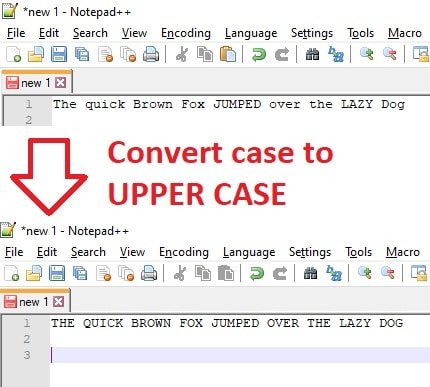
You can switch between lowercase, uppercase and title (proper) case.
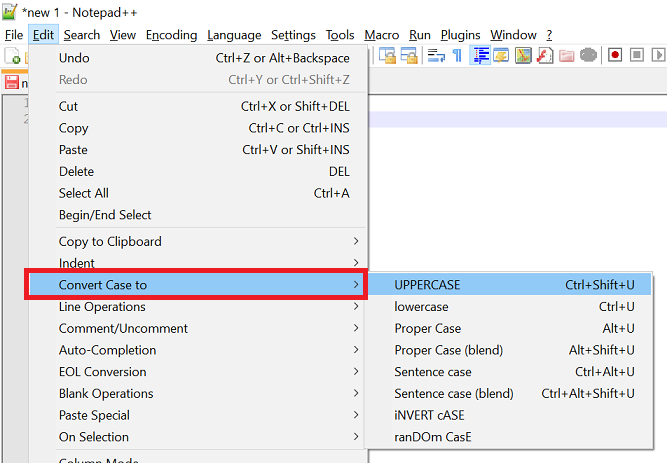
To use, select the text to change and use the relevant keyboard command:
- lowercase: Ctrl + U
- uppercase: Ctrl + Shift + U
- title case: Alt + U
These (and more) can also be found in the ‘Edit’ -> ‘Convert Case to’ menu
Thank you, great tip!
thanks for the post. This really helped a lot!
wish there were a contextual menu option in Windows 10 to easily change text through the various case’s
or even a bat file set up I could add to the send to contextual group – similar to the move/copy option or sordum org’s tool